4.1 Browsing the Product Catalog
The catalog lives on the Products page in Tangible Cloud. Click Products in the left navigation, then click the Get More Products tab. You'll see every Tangible plugin and bundle available for purchase.
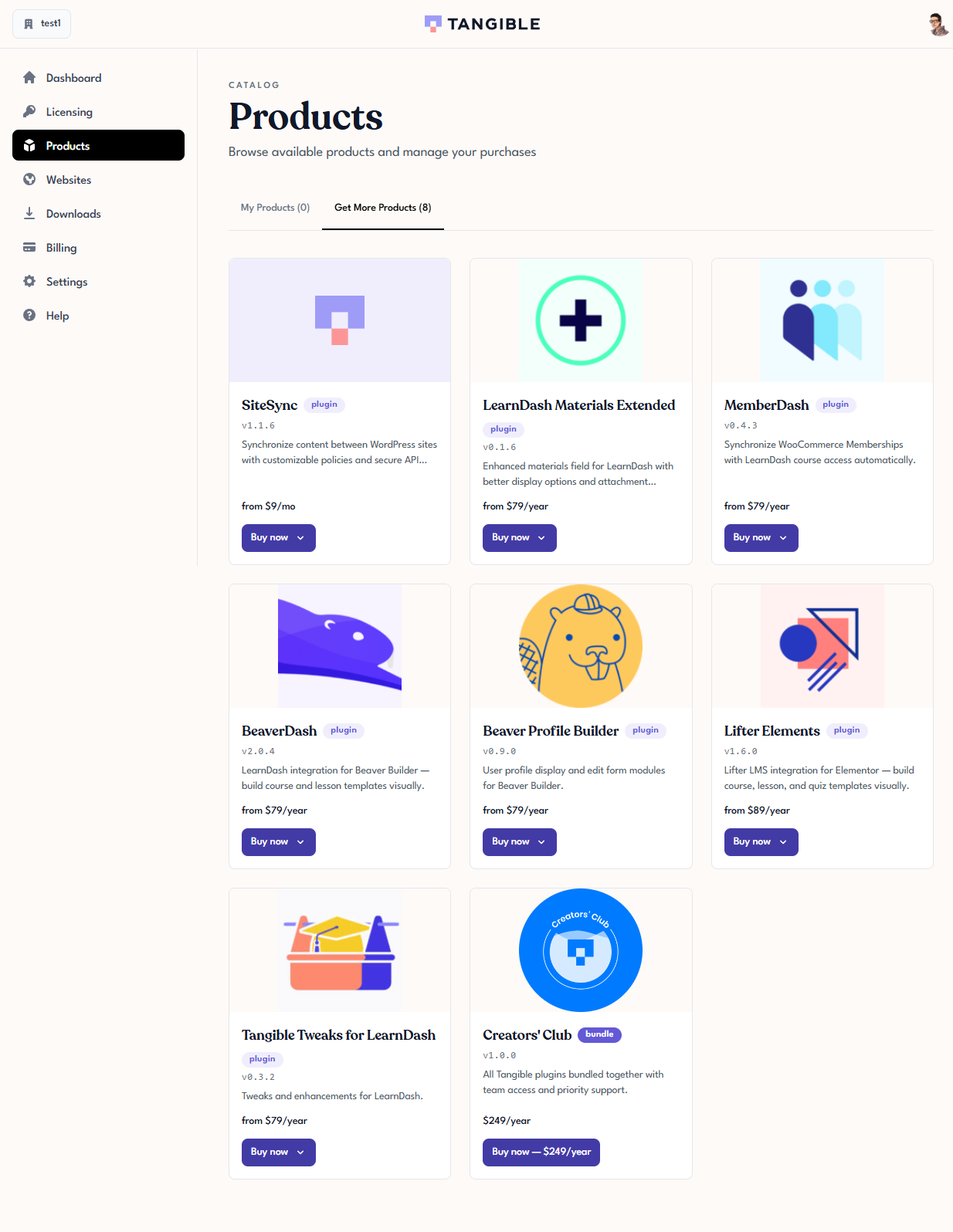
The number in the tab label — for example, Get More Products (7) — is the count of products you don't yet own. As you buy products, they move from Get More Products to My Products, and the Get More count drops.
What each card shows
Every catalog card displays:
- The product's logo
- Its name
- A plugin or bundle badge
- The current version (for example,
v1.6.0) - A one-line description
- The starting price (for example,
from $79/year) - A Buy now button
Clicking the card, or the logo, opens the product's detail page with fuller information.
Plugins vs bundles
- A plugin is a single Tangible product. Buying it gives you a license with one grant — the right to activate that one plugin on a limited number of sites. See Understanding Licenses, Grants, and Activations for how grants work.
- A bundle is a product that contains multiple plugins. Buying a bundle gives you a single license with multiple grants — one per plugin in the bundle — so the same key works for every plugin included.
The most notable bundle in the catalog is Creators' Club. As of the current staging data, it includes six plugins (Lifter Elements, BeaverDash, Beaver Profile Builder, MemberDash, LearnDash Materials Extended, Tangible Tweaks for LearnDash) plus three Lifter Elements template packs (LE Template Corporate, LE Template Medical, LE Template School). SiteSync is not included in the bundle — if you need it, purchase it separately.
Pricing notes
Most single plugins are priced per year (for example, $79/year, $89/year). Creators' Club is a flat yearly price. Products with more than one tier — such as Lifter Elements (Starter and Creator), BeaverDash (Starter and Creator), or SiteSync (four tiers including an annual and a monthly variant) — show the lowest-starting price on the catalog card (prefixed with from), and list every tier in the Buy now dropdown.