3.5 Restricting License Usage (URL Restrictions)
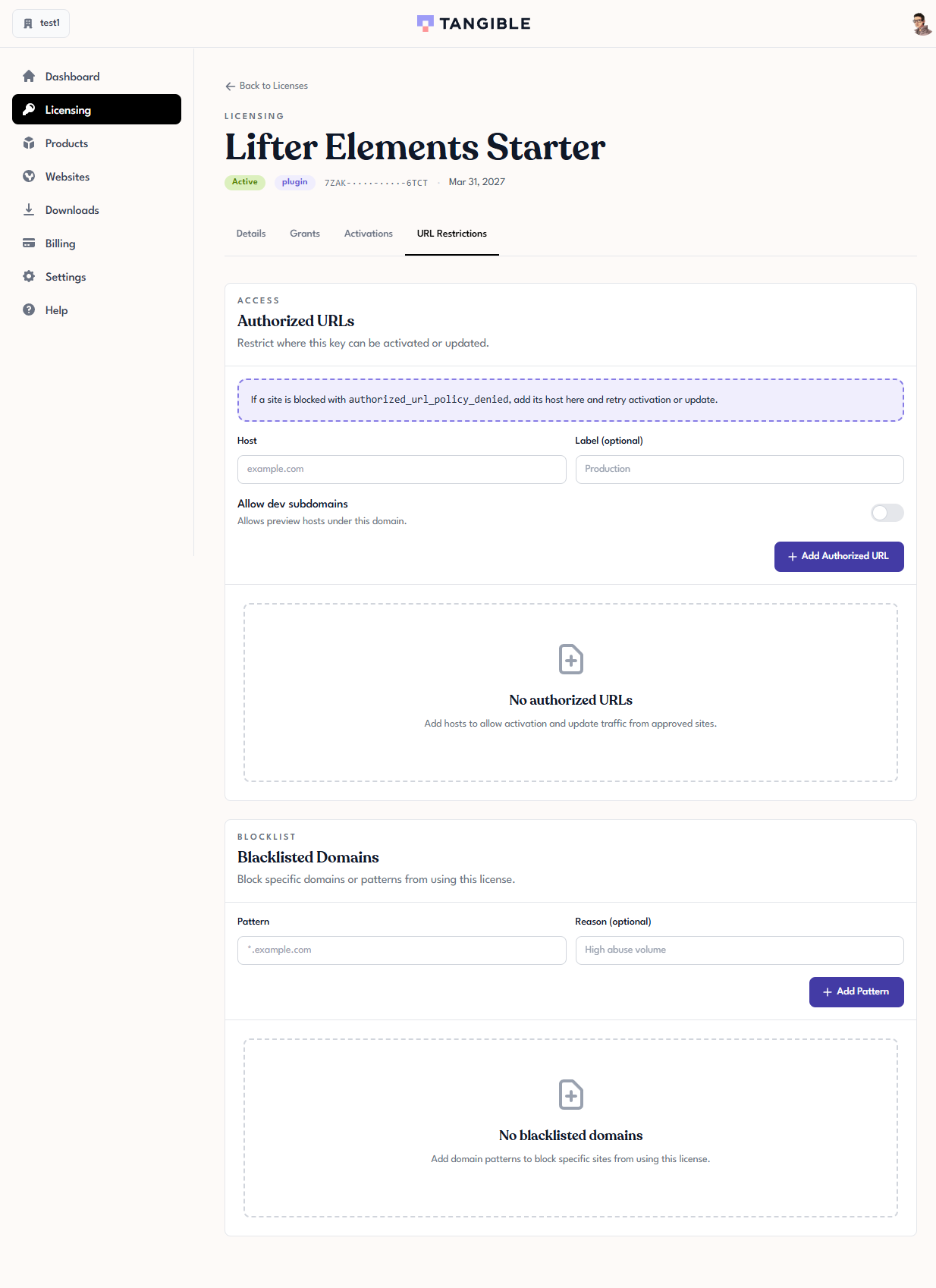
URL Restrictions let you control which hosts a license is allowed (or not allowed) to activate. They're useful when you want a license tied only to a known production domain, when you need dev and preview sites to share a production license without counting as separate activations, or when you need to block a domain that has been abusing the license.
The controls live on the URL Restrictions tab of a license's detail page.
How the two sections interact
URL Restrictions has two sections that behave differently:
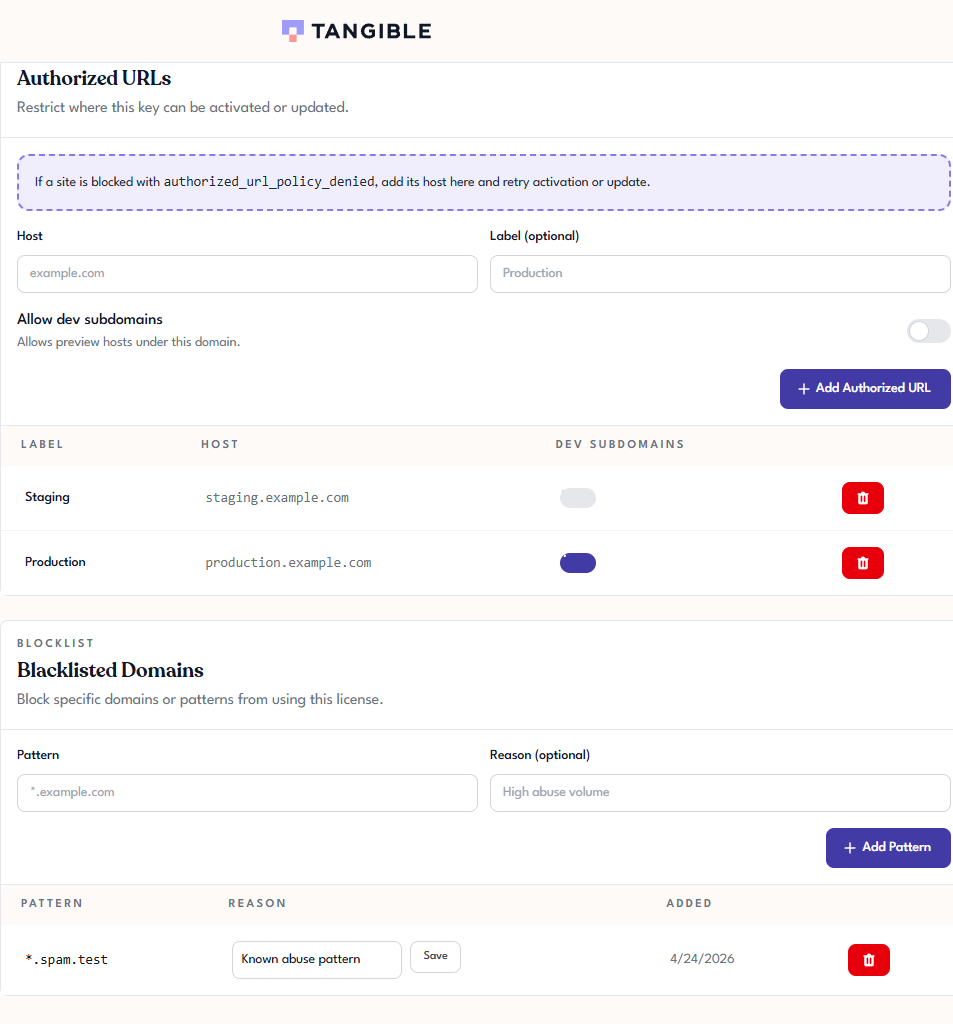
- Authorized URLs is an allowlist. If you add at least one host here, the license can only be activated on that host (and anything that matches its rules). If the list is empty, the allowlist is not enforced and any host can activate the license.
- Blacklisted Domains is a denylist. Anything matching a pattern here is blocked, regardless of what the allowlist says.
If both sections are populated, the denylist takes precedence.
Authorized URLs
Adding a host
- In the Host field, enter the site's hostname without the scheme — for example,
example.com, nothttps://example.com. - Optionally, fill in a Label (for example,
Production) to make the entry easier to identify later. - Click Add Authorized URL.
The host appears in the list below.
Allowing development subdomains
Toggle Allow dev subdomains on an authorized host to automatically allow preview and development hosts under the same domain (for example, dev.example.com, staging.example.com) without listing each one. Leave it off if you want the allowed host to be matched exactly.
When a site is blocked
If a plugin tries to activate on a site that isn't covered by any authorized URL, the activation fails with an authorized_url_policy_denied error. The fix is to add the host to the list and retry — see Activating a License on a Site.
Blacklisted Domains
Adding a pattern
- In the Pattern field, enter the domain or pattern you want to block. Wildcards are supported — for example,
*.example.comblocks every subdomain ofexample.com. - Optionally, provide a Reason (for example,
High abuse volume) to remind yourself why the pattern is in place. - Click Add Pattern.
When to use the blacklist
The blacklist is for excluding specific domains from activating the license even though nothing else prevents them. Typical uses:
- A stolen license key being used on unknown domains — block the abusive domains while the key is being rotated.
- A test or staging site you never want this license to be accepted on.
- A specific subdomain you want to exclude while leaving the rest of the domain allowed.
Common patterns
| What you want | How to set it up |
|---|---|
| Production only, one site | Add the production host under Authorized URLs. Leave Allow dev subdomains off. |
| Production plus matching dev/staging | Add the production host. Enable Allow dev subdomains. |
| Open to any site | Leave Authorized URLs empty. Use Blacklisted Domains only for specific problem hosts. |
| Block one abusive subdomain of an allowed domain | Keep the allowed host in Authorized URLs. Add the problem subdomain as an explicit pattern under Blacklisted Domains. |