3.6 Upgrading a License Tier
Some Tangible products are sold in tiers — for example, Lifter Elements and BeaverDash each ship with a Starter tier and a Creator tier. If you've outgrown the tier you originally bought, you can upgrade an existing license rather than buying a separate one.
Not every product offers tiers. Single-tier products don't show an Upgrade option.
Start an upgrade from the product detail page
- Click Products in the left navigation.
- On the My Products tab, click the product whose license you want to upgrade.
- In the Your Licenses table, find the license and click the Upgrade dropdown on that row.
- The dropdown opens with the tiers that row can upgrade to — typically the Creator tier for a Starter license.
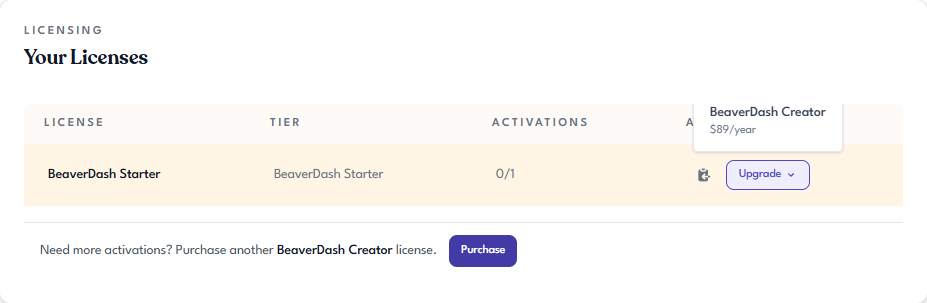
- Click the tier you want to move to. Tangible Cloud takes you to its Upgrade your plan page.
Choose the upgrade from the Upgrade your plan page
The Upgrade your plan page shows the upgrade options your organization can take — typically more than one. Each card represents a different destination tier or bundle, with the price and the benefits included.
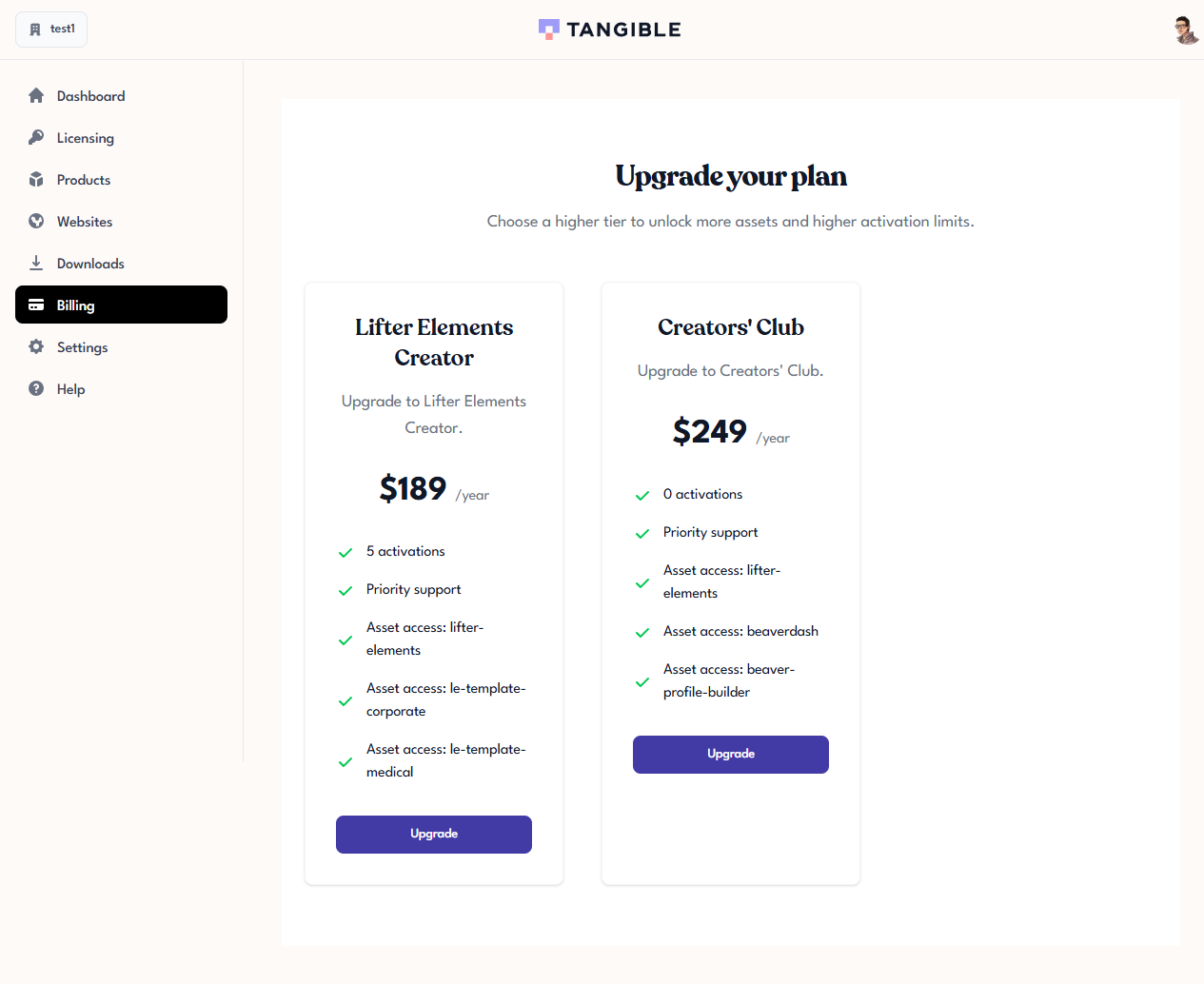
Review the options, then click Upgrade on the card for the destination you want. Tangible Cloud hands you off to Stripe (the same checkout flow as a new purchase) to confirm the payment for the upgrade.
See Buying Your First Product for the Stripe-side payment flow, which is identical to a first-time purchase.
What changes after an upgrade
- The license's Name should reflect the new tier (for example,
BeaverDash StarterbecomesBeaverDash Creator). - The grant's activation allowance should update to match the new tier.
- Existing activations should keep working — you don't need to re-activate sites.
- The subscription in Billing should change to the new tier's renewal price.
When to upgrade vs buy another license
Both options give you more activations — picking between them depends on what else the higher tier offers beyond activation count.
- Upgrade the existing license when the higher tier includes features you want (priority support, advanced modules, extra integrations) in addition to more activations, and you want those features applied to all the sites this license already covers.
- Buy an additional license when you only need more activations and want to keep billing and renewal separate for the new batch of sites — for example, a license dedicated to a particular client's sites.
Buying Your First Product covers the buy-another-license flow at the end.